Universal Accessibility Audit · by Vinny
WCAG 2.2 accessibility testing, right inside WordPress.
Scan your pages from wp-admin, see exactly what fails for people using screen readers, keyboards or magnification, and how to fix it. Free to start; Pro keeps it checked.
WordPress 6.4+ and PHP 8.1+. Works with any theme, the block editor, classic content and page builders.
Screenshots
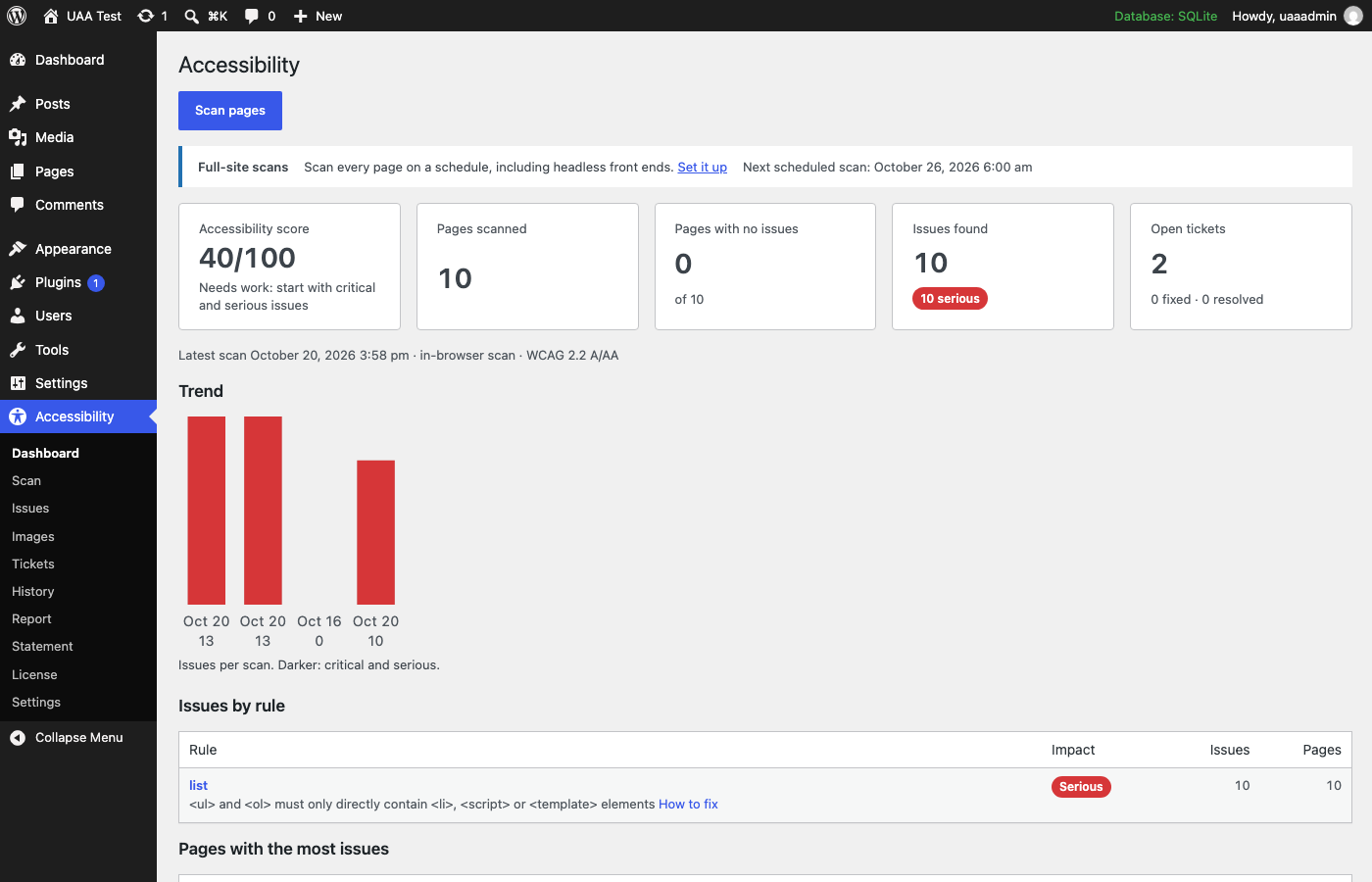
Dashboard: your score, the issues by rule and the pages to fix first. 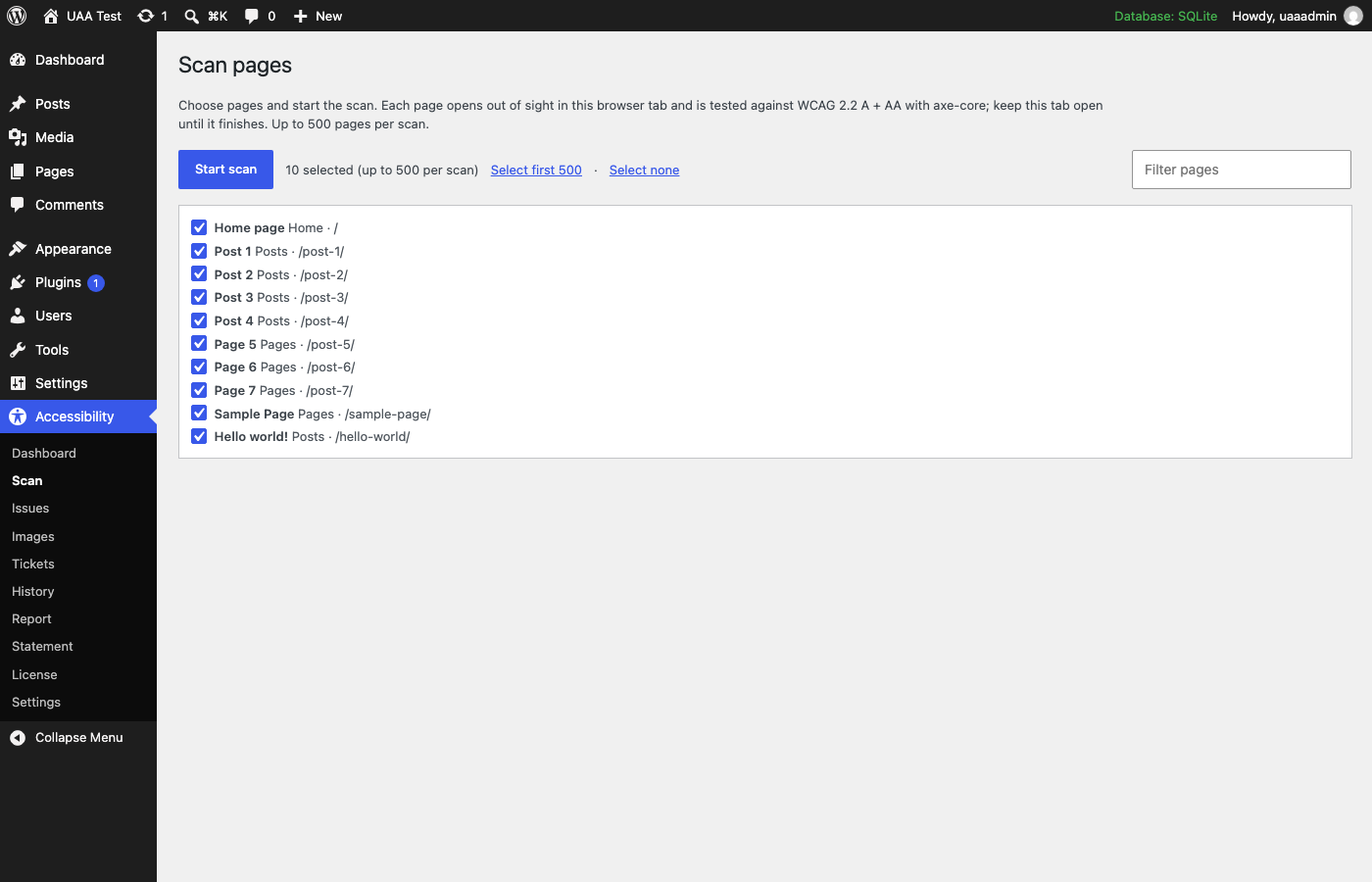
Scan: pick pages and run the scan right in wp-admin. 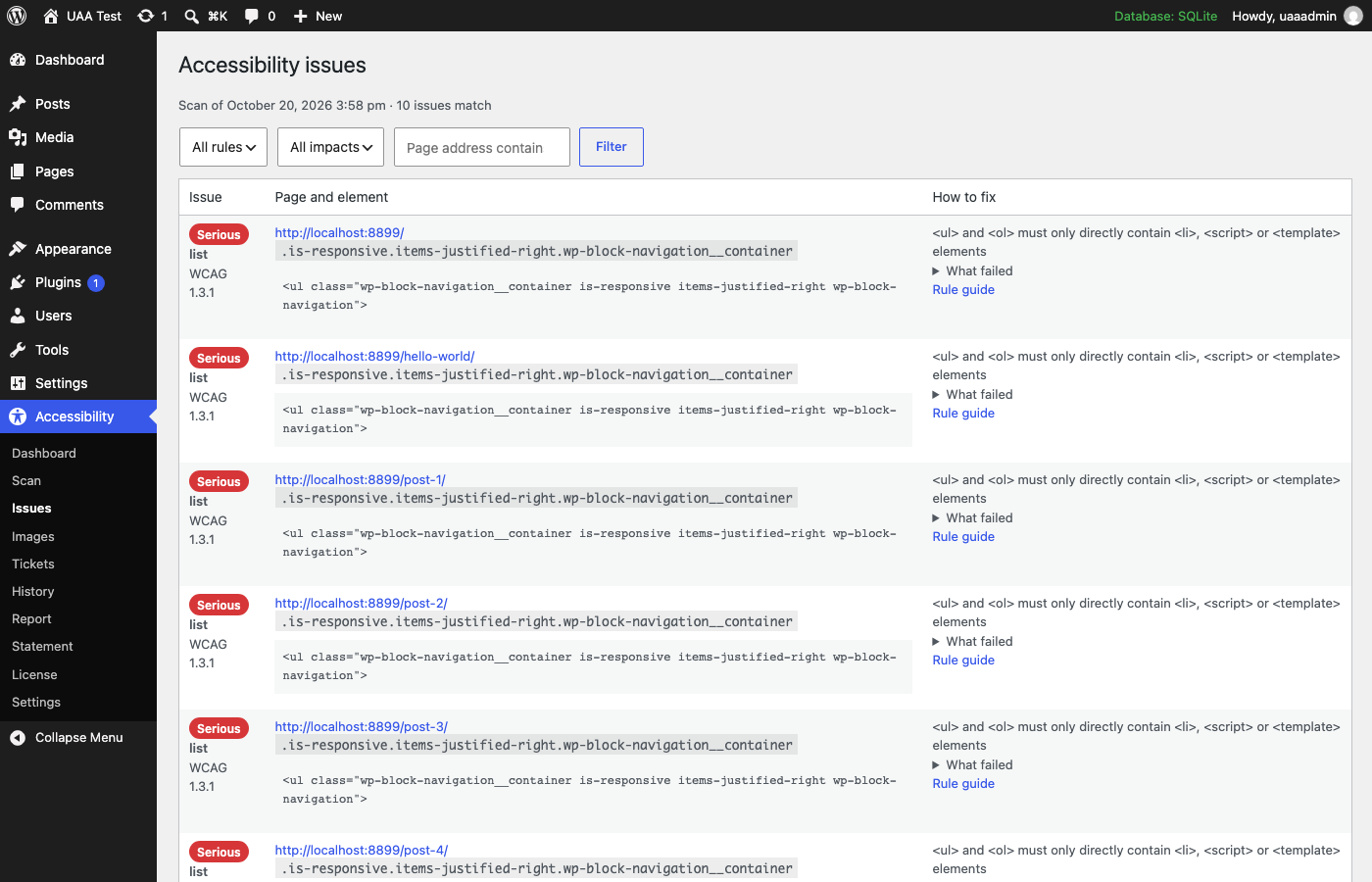
Issues: every failing element, where it is and how to fix it. 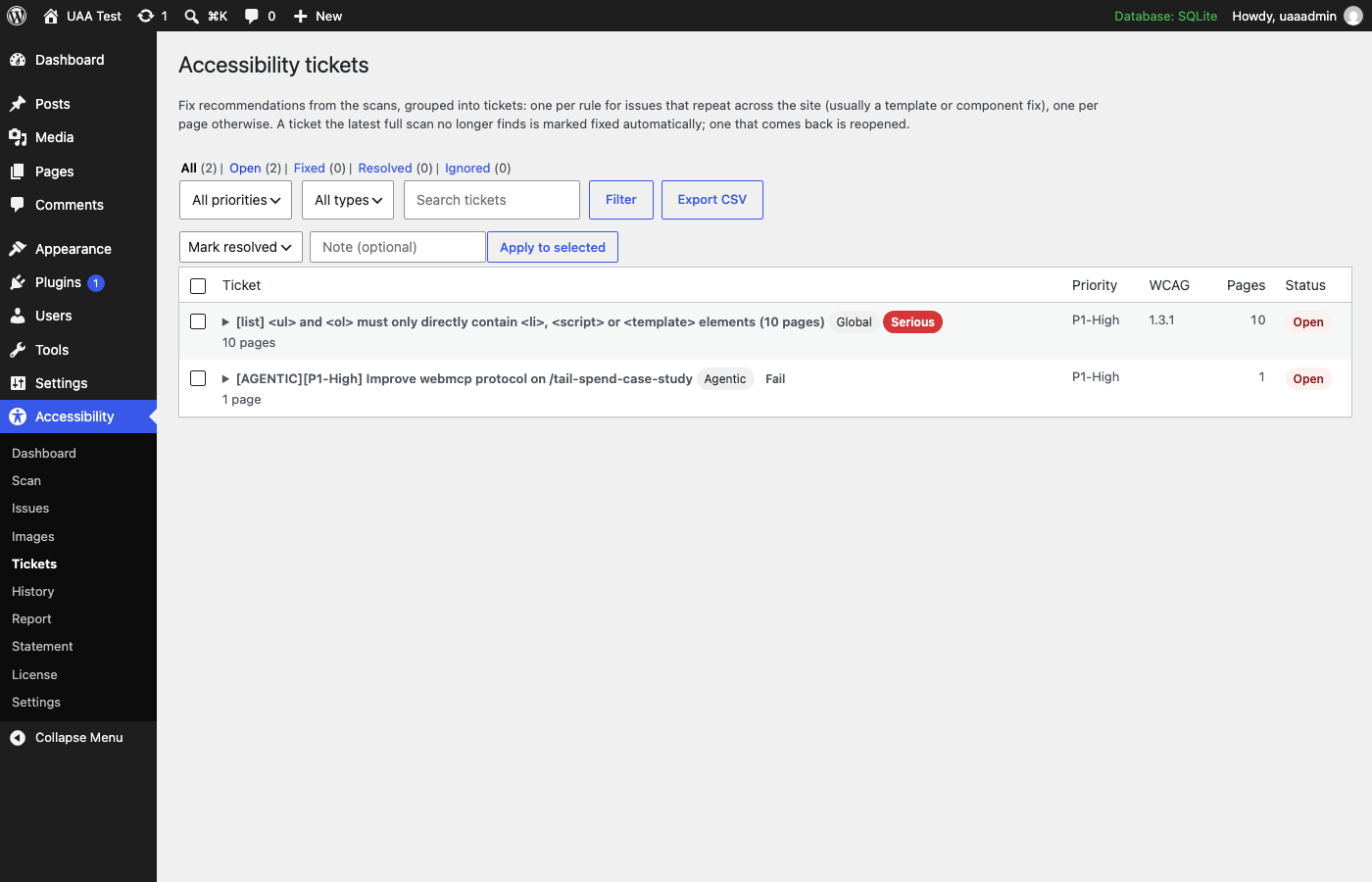
Pro: fix tickets that close themselves when the problem is gone.
Free plugin
Everything you need to find and fix problems
WCAG 2.2 scans in your browser
Pick pages and scan them right in wp-admin with axe-core, the engine most accessibility auditors use. No server setup, nothing sent anywhere.
A score and a clear starting point
An accessibility score, issues grouped by rule and severity, and the pages with the most problems.
Every failing element, with the fix
The page, the element, its HTML and exactly what failed, plus a guide for each rule.
Image alt text review
Finds missing, file-name and "image of…" alt text, and lets you fix media-library images on the spot.
Check any page from the list
A "Check accessibility" link under every published post and page.
CSV export
Hand the full list of issues to a developer or a spreadsheet.
Pro add-on
Keep it fixed, every week, on every page
Sites change every day: new posts, new images, a new plugin. Pro checks continuously and tells you when something slips.
Scheduled full-site scans
Daily, weekly or monthly, every page in your sitemap, with nobody keeping a browser tab open.
Headless and external front ends
Scan a decoupled front end (Next.js, Astro, Gatsby…) or a staging site and keep the results in WordPress.
Unlimited pages
No 25-page cap: up to 500 pages per in-browser scan, and full sites on a schedule.
Fix tickets
Issues grouped the way developers fix them: one ticket for a template problem across the site, one per page otherwise. Tickets close themselves when a scan no longer finds the problem, and reopen if it comes back.
History and trends
Every scan kept, with the trend of issues over time, so you can show progress.
Email alerts
Hear right away when new critical or serious problems appear, plus a weekly summary.
Executive report
A printable one-page report with your name and logo, for clients and leadership.
Accessibility statement generator
An honest, standard statement page built from your real status, as a draft for you to review.
Priority support and updates
Direct help from the developer and automatic updates while your license is active.
Free and Pro, side by side
| Feature | Free | Pro |
|---|---|---|
| WCAG 2.2, 2.1 and 2.0 A + AA checks | Yes | Yes |
| Scans in your browser from wp-admin | 25 pages per scan | 500 pages per scan |
| Score, issues by rule, worst pages | Yes | Yes |
| Every failing element with how to fix it | Yes | Yes |
| Image alt text review and in-place fixes | Yes | Yes |
| CSV export | Yes | Yes |
| Scan detail kept | Latest 3 scans | Latest 50 scans |
| Scheduled full-site scans | No | Yes |
| Headless and external front ends | No | Yes |
| Fix tickets with status and notes | No | Yes |
| History and trend chart | No | Yes |
| Email alerts and weekly summary | No | Yes |
| Executive report with your logo | No | Yes |
| Accessibility statement generator | No | Yes |
| Support | Docs and FAQ | Priority, from the developer |
What it checks
Every WCAG A and AA rule automated testing can judge, including color contrast, text alternatives for images, form labels, heading and landmark structure, link and button names, language, ARIA use, focus order problems detectable in code, and the WCAG 2.2 additions such as target size.
What still needs a person
Using the site with only a keyboard, listening with a screen reader, captions and transcripts, and whether content reads clearly. The docs include a short checklist for those.
Questions
Does this make my site ADA or WCAG compliant?
No tool can by itself. The plugin finds the problems automated testing can detect (a large share, including the ones most often cited in complaints: contrast, missing labels and alt text, headings, link names) and tells you how to fix them. Full conformance also needs manual checks of keyboard use, screen readers and content.
Is the free plugin really free?
Yes. Nothing in it is locked, time-limited or nagging. Pro is a separate add-on for sites that need accessibility checked continuously.
Do I need both plugins for Pro?
Yes. Pro is an add-on: install the free plugin, then Pro on top of it, and enter your license key under Accessibility → License.
Does it slow down my site?
No. Nothing runs for visitors. Scans run only when you start one, in your own browser, or (with Pro) in a scheduled scan outside your server.
Is any of my data sent anywhere?
The free plugin sends nothing anywhere: scans run in your browser against your own pages and results stay in your WordPress database. Pro contacts justwhat.net only to check your license and offer updates; scheduled scans run in your own GitHub account.
Can it fix problems automatically?
It fixes image alt text for media-library images. Other problems live in your theme, plugins or content, and the plugin shows exactly where. We don't sell an "overlay" widget: those claim to fix accessibility automatically, don't, and often make it worse.
Find out where your site stands in five minutes
Install the free plugin, pick a few pages and run your first scan. No account, no setup.